Tutorial 6 of 6
Reports, sharing and automation with the API and MCP
Advanced 10 min
Print the consolidated report, export Markdown, CSV and JSON, share a project link, save to Google Drive, and let scripts or AI agents build projects and call the same twelve tools.
1. The consolidated report
Open the Report tab. It holds the release gate, a severity summary, the policy results, every open finding (up to 300 in the page), the fix plan and the assets with their verdict and last check. Print or save as PDF prints only the report — choose Save as PDF in the print dialog.
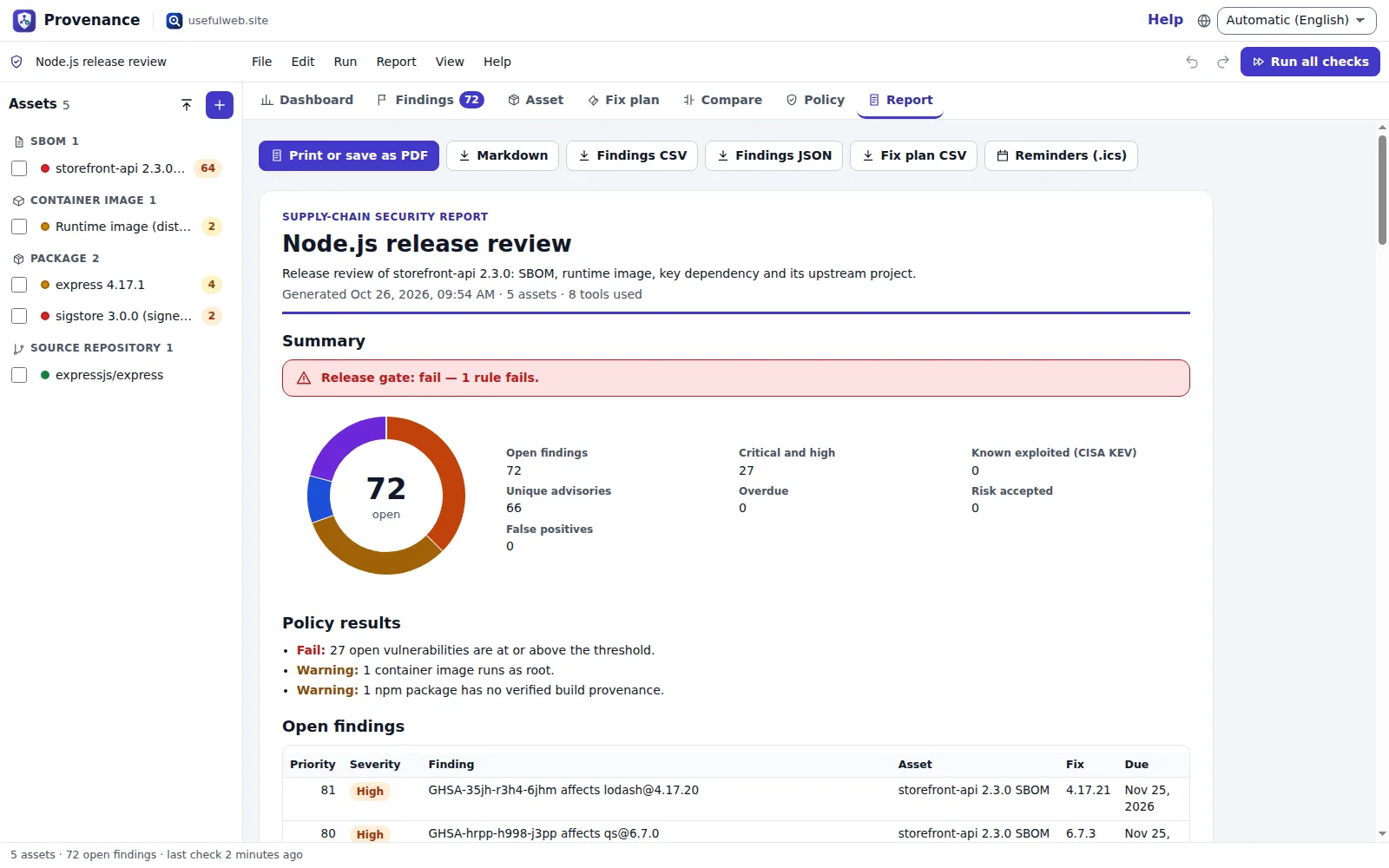
The buttons next to it download the same content as Markdown (for a wiki or pull request), Findings CSV / JSON, Fix plan CSV and Reminders (.ics). The dashboard's severity chart downloads as SVG or PNG.
2. Share
- File → Save project file writes a
.provenance.jsonwith all results; anyone can open it with File → Open project file…. - File → Share link… creates a
#project=link with the assets, settings, policy and triage decisions — not the results, and no media files. The recipient presses Run all checks. - Signed in to usefulweb.site with Google Drive connected, the top bar offers Save to Drive, Open from Drive and auto-save.
3. API
The app host serves the twelve tools Provenance uses:
curl -X POST https://provenance.usefulweb.site/api/v1/tools/dependency-vulnerability-explorer/calculate \
  -H 'content-type: application/json' \
  -d '{"manifest":"npm:lodash@4.17.20\npypi:requests@2.19.0"}'
Every response has summary, result (see each tool's output schema at /api/v1/tools/<id>), warnings and links. /openapi.json describes all of them.
4. MCP and project files for agents
An AI agent can use the MCP server at /mcp (tools/list, tools/call) and build a project from the schema at /project.schema.json. Only format, version, name and assets are required:
{ "format": "provenance-project", "version": 1, "name": "Agent review",
  "assets": [ { "kind": "package", "input": { "ecosystem": "npm", "name": "axios", "version": "0.21.1" } },
              { "kind": "image", "input": { "image": "gcr.io/distroless/static-debian12:nonroot" } } ] }
Encode it as base64url and open https://provenance.usefulweb.site/app#project=<encoded> — the human reviewer sees the assets and runs the checks.
Ready to try it?